
So there’s a Canadian peripheral manufacturer that 3d-prints various types of input devices, from trackballs (Ploopy Classic) to, new as of this year, the “Ploopy Bean”. If you’ve ever used a Thinkpad, especially mine where I have the trackpad disabled in BIOS, you’ve experienced the unique experience of using the Trackpoint, a signature feature of the IBM and now Lenovo Thinkpad.
Feelings about this style of input device are generally… divisive. It’s a very love it or hate it thing. As you may tell from this picture, I lay on the “love it” side of the fence. So naturally when I saw Ploopy announced a 3d printed trackpoint, I had to grab a preorder and get on the ground floor. Roll that beautiful bean footage:
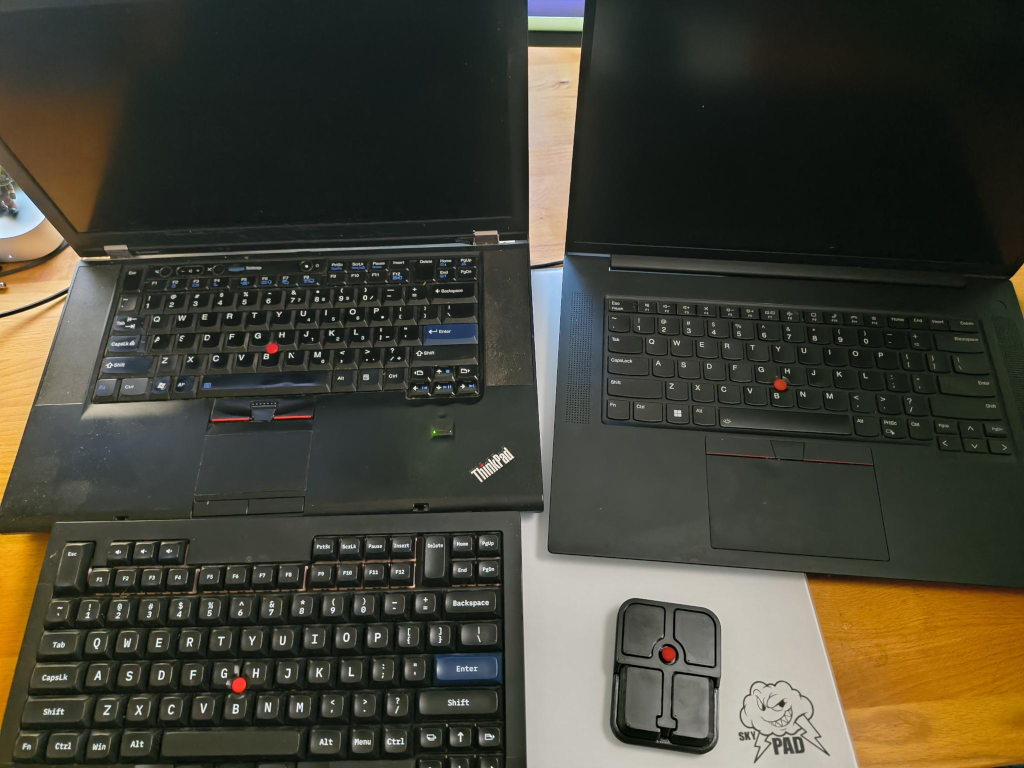
I’ve been a Thinkpad user for somewhere around 25 years now in various forms, that’s my current fleet. My ancient W520 that I grabbed when I finished my CS degree, my current X1 Extreme (which is phenomenal btw, albeit expensive as balls, especially now), my TeX Shinobi, and the B E A N. So you could say I have some strong opinions about what makes a good Trackpoint (aka Bean, aka the ‘clitmouse’).
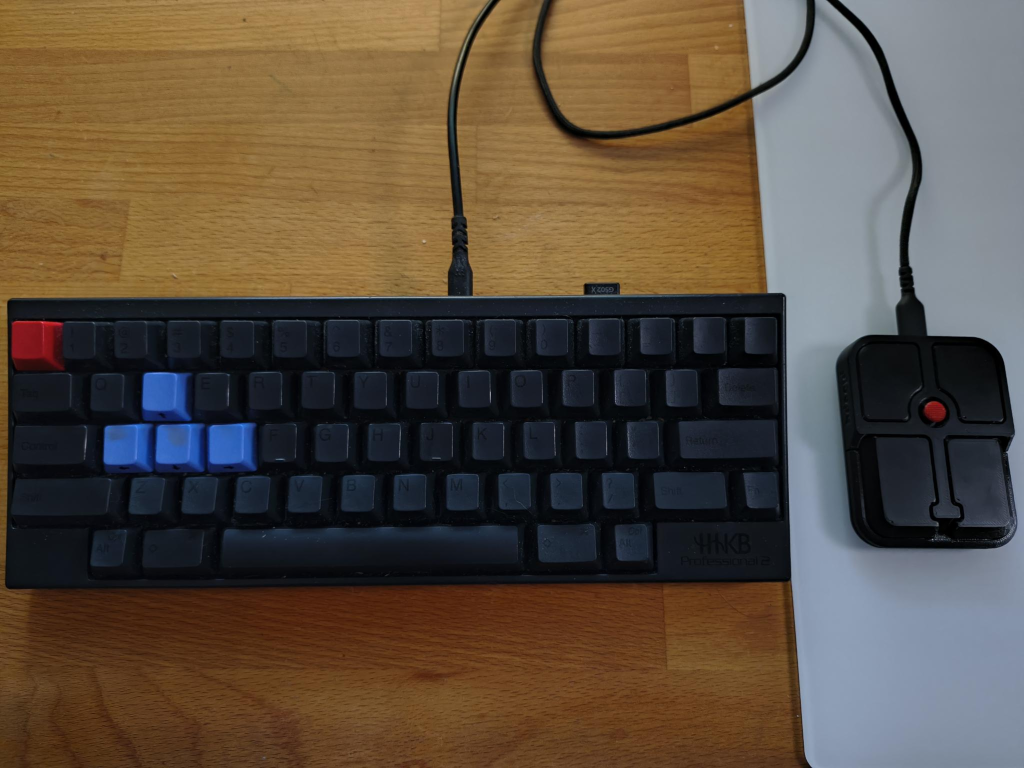
What follows is a short summary of my experience this week getting used to the Bean, and largely trying to use it as my primary input device. I do wish I had a HHKB Studio to compare it to, but I haven’t gotten around to breaking the bank on that, especially since I’m also a Topre weirdo and love my HHKB. The switches I have in my Shinobi are good, but they’re no Topre. It is woth stressing that I am very comfortable using the commandline, and generally keeping my hands on the homerow when using my machine. I’m a linux and Vim user; so I shore up some of the weirdness in an input device like the Bean (or Trackpoint) with keyboard shortcuts, and my choices of editors. YMMV.
Pros
- the size is good when paired up with a tenkeyless keyboard like a HHKB
- the Trackpoint feel is generally good, better than ones I’ve used on Dells, not bad, just different
- open firmware and moddability is nice, although I haven’t tinkered with it yet
Cons
- there’s a decently sized deadspace on centre, and the design of the mount the nub is in doesn’t always return to centre, causing drift; ‘real’ Trackpoints however also do have some drift sometimes, so it’s not a deal breaker
- this deadspace can make it hard to accurately point at high sensitivities, say, closing a window
- the print quality is… fine… I’ll show a picture further down with some pitting on the prints
- the rubber feet aren’t quite grippy enough to use on something like a glass mousepad, you need to be careful to not move it
Generally it’s been a very good experience so far this week, because it’s a device that does cater to how I use a computer. It does short-circuit my brain a little where I try to reach for the non-existing trackpoint on my keyboard, so that’s weird.
If you’re into trackpoints, and don’t want to spring for a custom build like the TeX Shinobi, or the fortune that is a HHKB Studio, it’s a good option so far. The linearness takes some getting used to if you’ve been using Trackpoints as long as I have.
The buttons on the Bean are as follows:
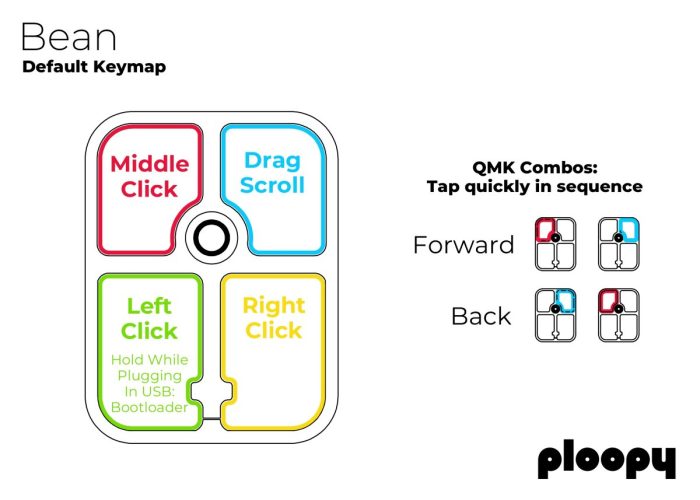
It takes some getting used to, a bit like learning to play a musical instrument, but you adapt fast. And worst case, it’s customizable because the device runs the open source firmware QMK, shared by keyboards and pointing devices alike.
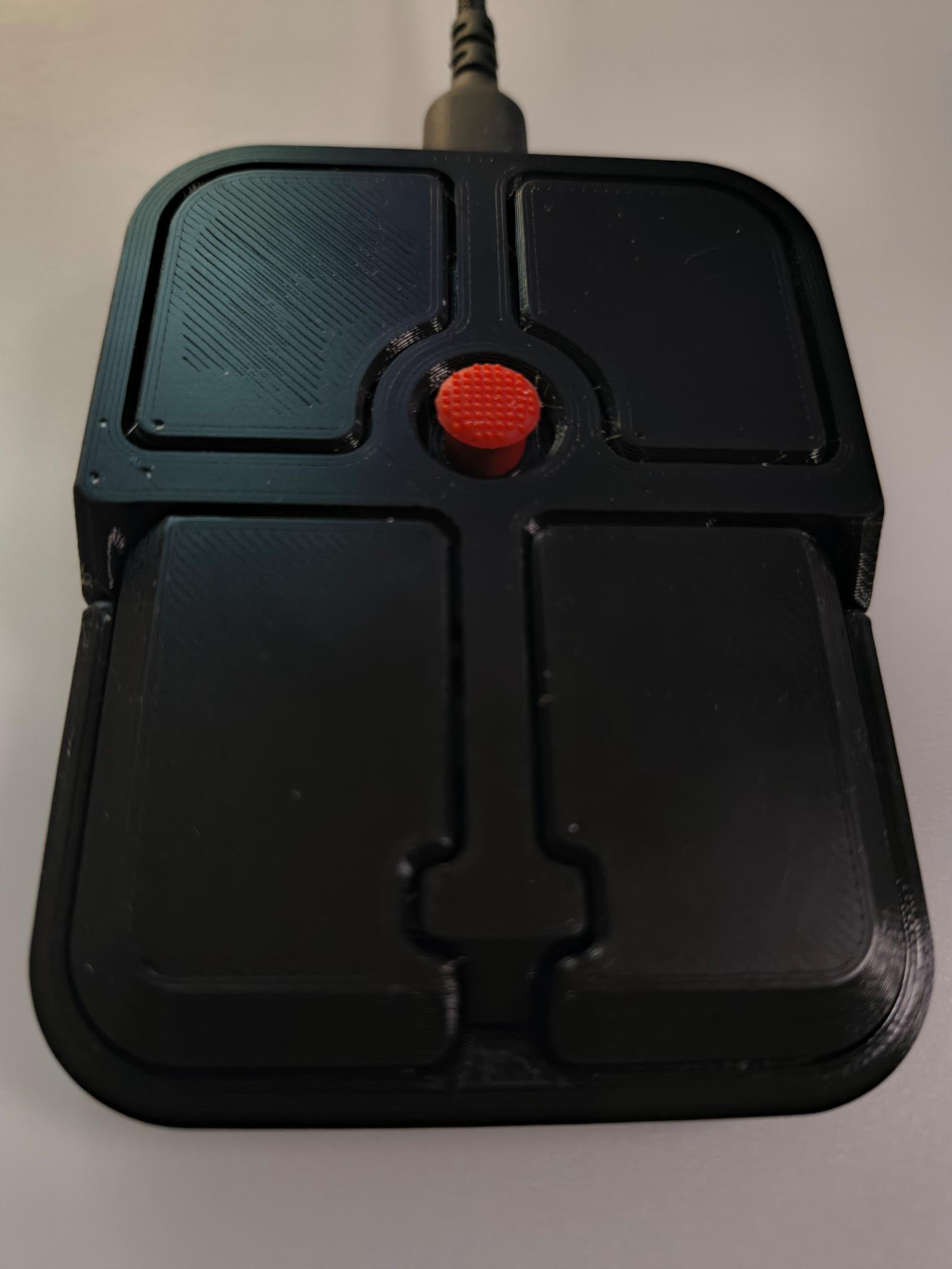
The pitting on the print for the price isn’t super amazing, but one can always just print new parts, the files are open. Said pitting isn’t present on any of the glamour shots on the product pages, so it’s not a design choice but a flaw. Arguably when it’s $90 CAD with shipping and tax, you should be binning flawed parts like that and not shippig them to customers. So YMMV on the print quality, I’ll need to open it up and see how the inside is, but that’s a mission for another time.